
Google Merchant Center Support: How to Get Real Help in 2027

// tl;dr
Use the Contact us form at support.google.com/merchants/gethelp while signed in, describe the exact issue, and have your IDs and change log ready. Support can't override decisions or shorten cooldowns, so fix your store before requesting a review.
Your products are gone, your account says "suspended," and you just want to talk to someone. So you search for Google Merchant Center support. Then you end up going in circles through help articles.
You're not alone. Reaching a person at Google takes the right path. And knowing what support can and can't do saves a lot of stress.
This 2027 guide shows you every real way to get help and how to prepare. It also covers what to do when support can't tell you why Google flagged you.
The Real Ways to Get Google Merchant Center Support
Google's Merchant Center Help Center offers two next steps when articles aren't enough: Contact us and the help community.
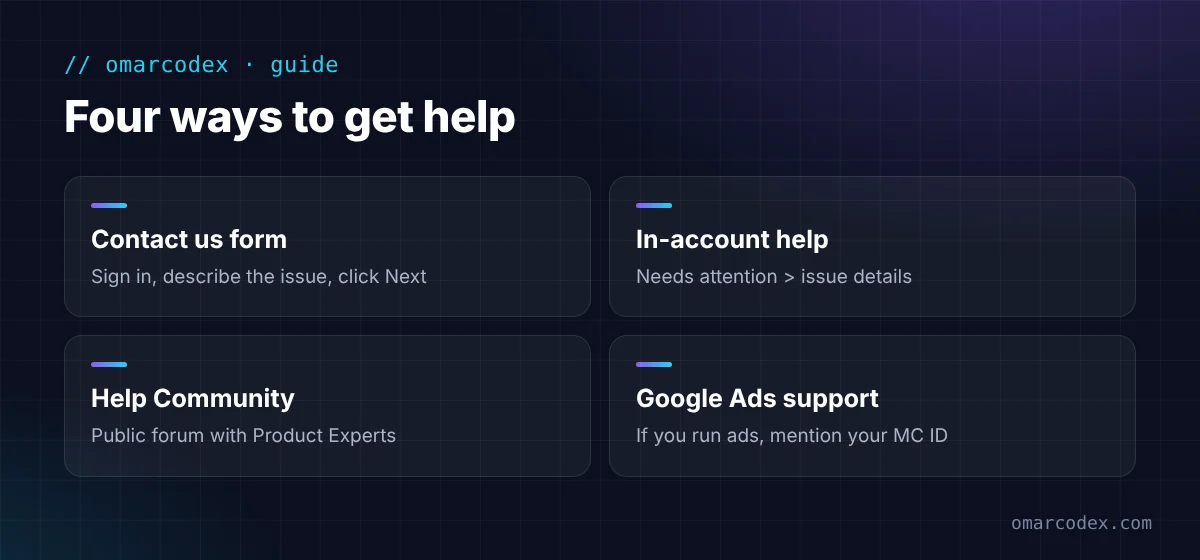
1. The Contact us form
This is the official route to Google's support team.
- Go to the Merchant Center Contact us page.
- Sign in with the Google account that has access to your Merchant Center.
- Describe your problem in a short sentence, like "Account suspended for misrepresentation."
- Click Next. Google suggests articles first, then shows the contact options available to you.
The options you see can change based on your account, your issue, and your location. That's why one seller gets chat while another gets an email form.
Tip from store owners: pick the topic that matches your problem exactly, like an account suspension. A vague topic often leads to generic articles instead of a person.
2. Help inside your Merchant Center account
Many issues show a help link right next to them. Open Products > Needs attention and click on the issue. You'll often find a "Learn more" link or a way to request a review from there.
3. The Merchant Center Help Community
The Merchant Center Help Community is a public forum. Store owners post questions, and experienced volunteers called Product Experts often reply.
It's not official Google support. But Product Experts see a lot of suspension cases, and they can spot problems you might miss. Never post private details like your full address or documents in a public thread.
4. Google Ads support (if you run ads)
If you have a Google Ads account, its Help Center has its own Contact us route. Ads advertisers sometimes see more contact options. Mention your linked Merchant Center ID when you reach out.
Is There a Google Merchant Center Phone Number?
Google doesn't list a public Merchant Center phone number on its help pages. If a phone or callback option is offered, it shows up inside the Contact us flow after you sign in.
Be careful with phone numbers you find on random websites or ads. Only use contact options that appear on support.google.com while you're signed in. Never share your password or pay a "support fee" to someone who calls you.
What Google Support Can and Can't Do
Knowing this saves you hours.
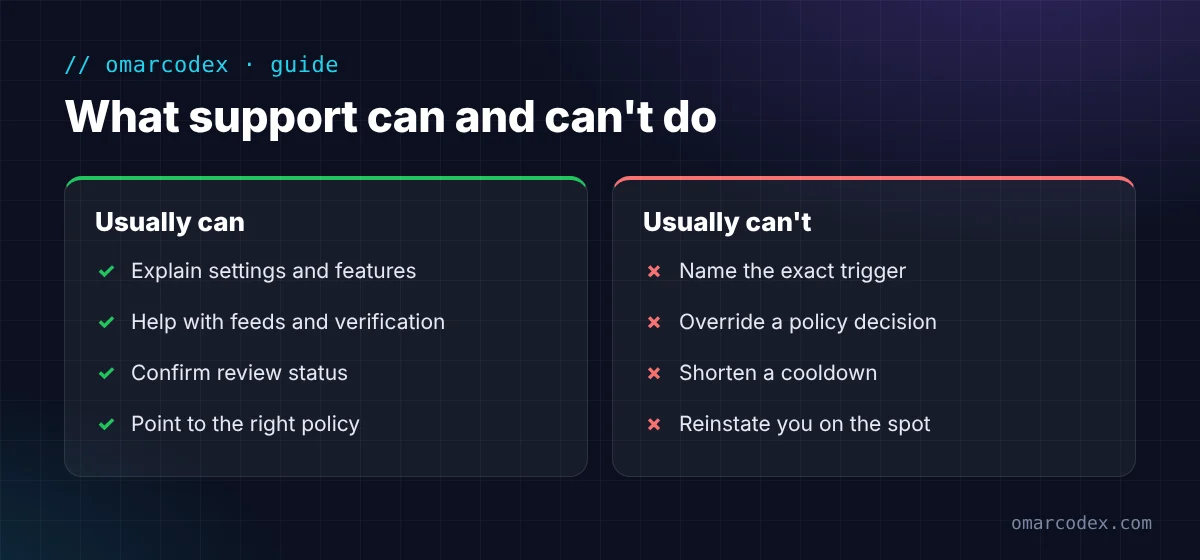
Support can usually:
- Explain how a setting or feature works.
- Help with technical setup problems, like feeds or website verification.
- Confirm the status of a review.
- Point you to the right policy page.
Support usually can't:
- Tell you the exact signal that triggered a misrepresentation flag.
- Override a policy decision.
- Shorten or skip a review cooldown. Google's review guide says support can't bypass cooldown periods.
- Reinstate your account on the phone or in chat. Reinstatement goes through the review process.
So if your goal is to "get someone to unsuspend me," support isn't the shortcut. Fixing your store and requesting a well-prepared review is.
How to Prepare Before You Contact Support
A clear, short message gets better answers. Have these ready:
- Your Merchant Center ID (top of your account).
- Your Google Ads customer ID, if linked.
- The exact issue name from the Needs attention tab.
- The date the issue appeared.
- A list of what you've already changed, with dates.
- Your website URL.
Write it in plain words. For example: "Our account shows a misrepresentation issue since March 3. We updated our contact page, return policy, and shipping settings on March 5. Can you confirm whether anything else in our account settings needs attention?"
Ask specific questions. "Why am I suspended?" rarely gets a useful answer. "Is my business verification complete?" often does.
When Support Doesn't Help
This is common with misrepresentation. Google says it looks at many signals and doesn't share the specific one. Here's what to do next:
- Audit your store yourself. Use our Google misrepresentation checklist to find likely triggers.
- Fix everything before requesting a review. Failed reviews can lead to cooldowns.
- Ask the community. Share your store URL and what you changed. Product Experts may spot something.
- Get an expert audit. A second pair of eyes often finds the one detail you missed. You can get a free quote for your GMC reinstatement.
Common Mistakes When Contacting Support
- Sending many requests at once. It doesn't speed things up.
- Asking support to "just approve" you. They can't override the review.
- Using a different Google account. Contact support from the account that owns your Merchant Center.
- Paying for "Google support" from a third party. Real Google support is free.
- Opening a new Merchant Center account while you wait. It can make things worse.
FAQ
How do I contact Google Merchant Center support?
Go to support.google.com/merchants/gethelp, sign in, describe your issue, and click Next. Google then shows the contact options available for your account and issue.
Does Google Merchant Center have a phone number?
Google doesn't publish a public phone number on its Merchant Center help pages. Any phone or callback option appears inside the Contact us flow after you sign in.
Can Google support remove my suspension?
No. Support can't override policy decisions or shorten cooldowns. You need to fix the issue and request a review in Merchant Center.
Why won't Google support tell me what I did wrong?
For misrepresentation, Google says it reviews many signals and doesn't share the specific one. That's why a full store audit is usually more useful than repeated support requests.
Is the Merchant Center Help Community official support?
No. It's a public forum where store owners and volunteer Product Experts answer questions. It can still be very helpful for suspension cases.
Get Help That Fixes the Problem
Google Merchant Center support is useful for setup and technical questions. For suspensions, the real fix is in your store and your review request.
If you're stuck, we can help you find the cause. We audit your website, feed, and Merchant Center settings, then tell you exactly what to change. Get a free quote for your GMC reinstatement, or read about our Google Merchant Center service. You can also start with our guide to fixing a misrepresentation suspension.
Written by Omar Faruk
Full-Stack Developer — WordPress, Laravel & Shopify
I'm a full-stack web developer who has shipped news portals, company sites, multi-user web apps and Shopify stores for clients around the world. I care about clean code, fast pages and websites that actually bring in sales.
Need help with this on your site?
I can set it up for you — quick turnaround, fixed price.


