Google Merchant Status Limited? What It Means and How to Fix It in 2027

// tl;dr
Limited is not a suspension. Product limits usually come from missing GTINs, missing details, image issues or price mismatches. Account limits usually need business verification. Fix data at the source and finish verification.
Your products are approved, but they barely get any clicks. Then you notice the word "Limited" next to them. Or worse, a banner says your account has limited visibility.
A Google merchant status limited message is not a suspension. Your products can still show. But Google is holding them back, and that costs you sales every day.
In this 2027 guide, we'll explain the two kinds of "limited," the most common causes, and how to fix each one.
Two Kinds of "Limited" in Merchant Center
There are two very different problems that use the same word.
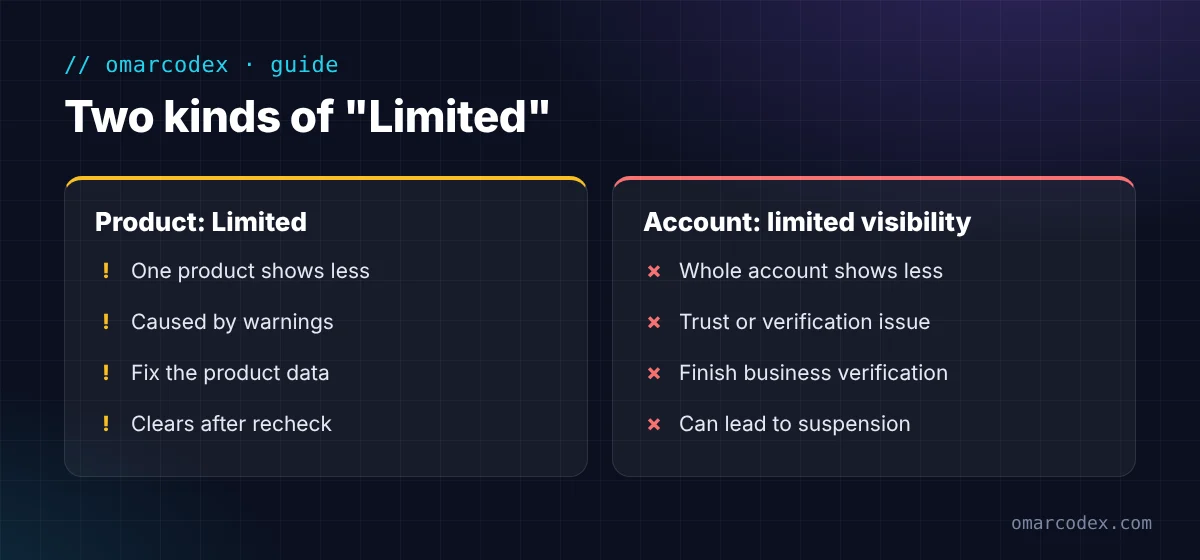
1. Product status: Limited
A single product can be Approved, Limited, Under review, or Not approved. "Limited" means the product can show, but not everywhere or not as often.
Google's Issues in Merchant Center page explains why. Products with warnings keep showing, but "their performance may be limited." If you ignore the warnings, they can turn into disapprovals.
2. Account status: limited visibility
This one is bigger. It affects your whole account. Google's misrepresentation policy describes an "account issue limiting visibility." Your account runs with reduced features, and your products show less across Google.
You might also see a request to verify your business. Google's page on restoring full visibility says that once you pass verification, the limits lift on their own.
How to See Why Your Status Is Limited
- Go to Products in Merchant Center.
- Click the Needs attention tab.
- Look at the high-impact issue cards at the top.
- Click What needs attention on any product to see the cause and the suggested fix.
- For account issues, click View setup and policy issues or the banner at the top.
Fix the issues marked high impact first. They affect the most products or the most clicks.
Common Causes of a Limited Product Status
Missing or wrong GTIN
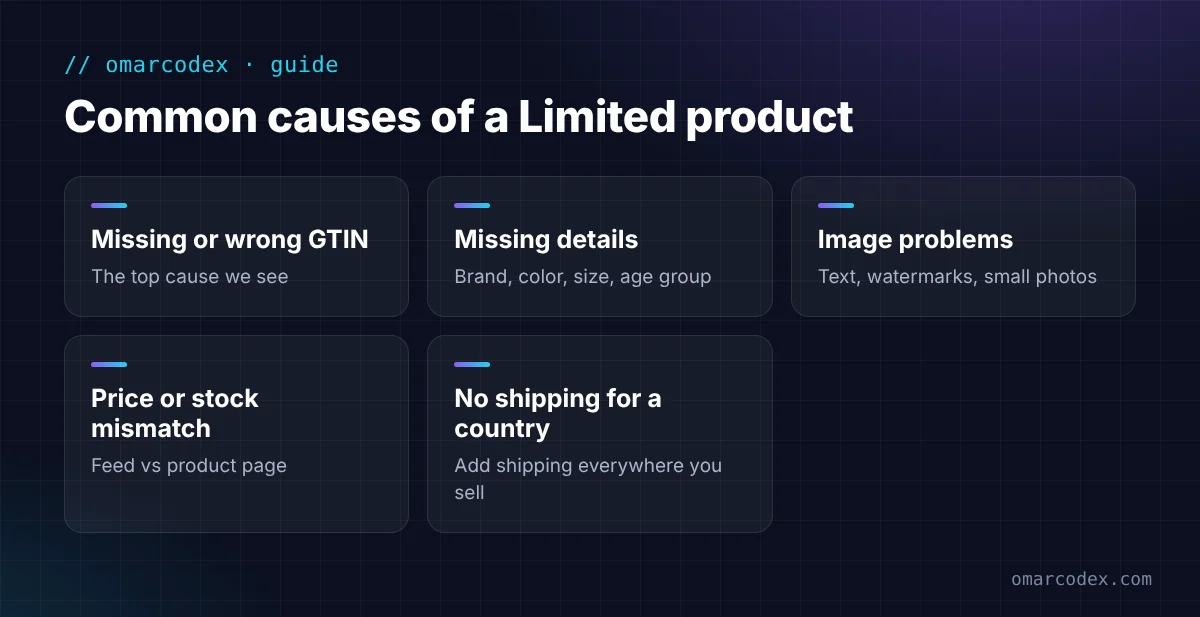
This is the most common cause we see. A GTIN is the barcode number on a branded product. Google's GTIN rules say products with a missing or incorrect GTIN may have limited visibility.
How to fix it:
- Add the real GTIN from the product's barcode or your supplier.
- Use a different GTIN for each size or color.
- Don't make up a GTIN, and don't use one from another product.
- If it's your own brand with no barcode, leave GTIN empty. Add the brand and MPN (the maker's part number) instead.
Missing product details
Google wants full data. Missing brand, color, size, gender, or age group can limit a product, especially in clothing. Fill in every field that fits your product.
Image problems
Images with text, watermarks, or promo badges often get warnings. So do small or blurry photos. Use a clean photo of the product on a plain background.
Price or stock that doesn't match
If the price or stock in your feed doesn't match your product page, Google may limit or even block the product. Check sale prices and currency apps closely.
Shipping not set up for a country
If you list a product in a country with no matching shipping setting, it may not show there. Add shipping for every country you target.
Common Causes of Limited Account Visibility
- Business verification not done. Finish any verification request in your account.
- Trust signals missing on your site. Missing contact details, weak policies, or placeholder text.
- A warning period has started. Google may limit visibility while you have time to fix an account issue. Fix it before the warning period ends, or Google can suspend the account.
Need help finding the cause? You can get a free quote for your GMC review. We'll check your feed and your site together.
How to Fix Google Merchant Status Limited: Step by Step
Step 1: Sort your issues
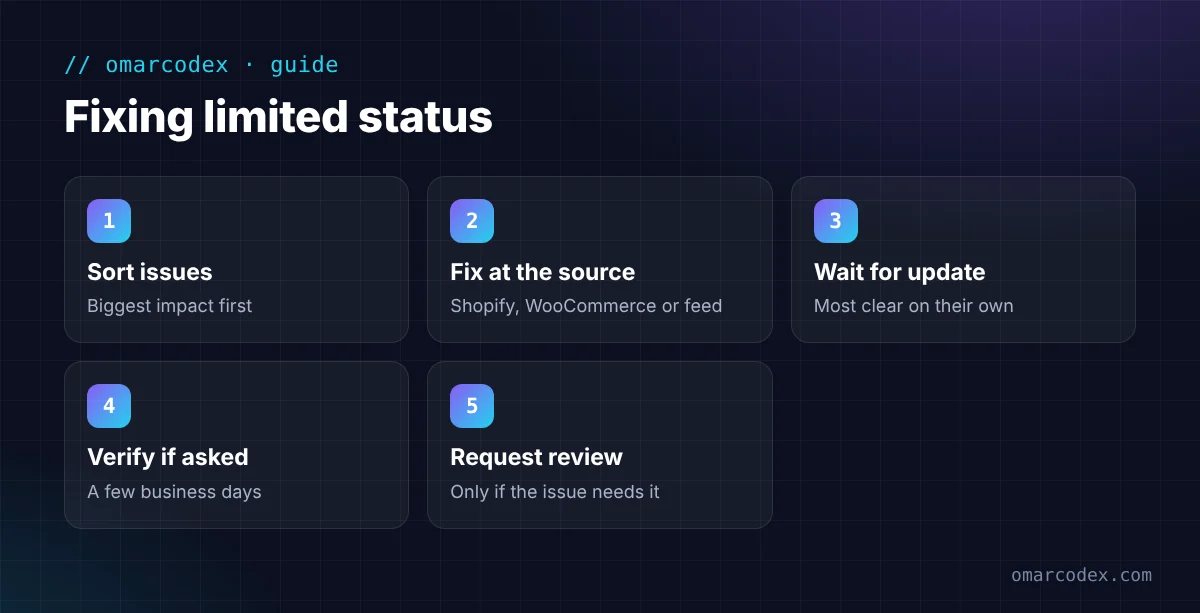
In Needs attention, list each issue and how many products it affects. Start with the biggest.
Step 2: Fix the data at the source
Fix products where your data comes from. That's Shopify, WooCommerce, or your feed file. Your next sync may overwrite changes you make only in Merchant Center.
Shopify note: you can add barcodes in each product's variant settings. The Google & YouTube app then sends them to Merchant Center.
Step 3: Wait for the next update
Google rechecks products after your data updates. Most product fixes clear on their own without a review request.
Step 4: Complete verification if asked
For account limits, finish the verification flow. Google says a manual review can take a few business days. The person who starts it must finish it.
Step 5: Request a review if needed
Some issues, like a price mismatch block, need a review. Use I fixed the issue and Request review on that issue.
Common Mistakes
- Ignoring warnings because products still show. Google says unresolved warnings can become disapprovals.
- Using fake or copied GTINs. This can make things worse.
- Fixing only in Merchant Center. Your next sync may undo the change.
- Skipping verification. It's the fastest way to lift account limits.
- Leaving promo text on images.
FAQ
What does "Limited" mean in Google Merchant Center?
For a product, it means the item is approved but may not show everywhere or as often. For an account, it means Google has reduced your visibility until you fix an issue or complete verification.
Is limited status the same as a suspension?
No. Limited products still show. A suspension stops all your products from showing. But some limits can lead to suspension if you don't fix them in time.
Do I need a GTIN for every product?
No. Only products that have a GTIN need one. Google says not to submit a GTIN for products that don't have one. Use brand and MPN for your own brand instead.
How long does it take for limited status to clear?
Most product fixes clear after Google rechecks your updated data. Business verification can take a few business days, according to Google.
Why are my Shopify products limited in Google?
The most common reasons are missing barcodes, missing brand, or image problems. Check the Needs attention tab, then fix the product in Shopify so the change syncs.
Get Full Visibility Back
A Google merchant status limited message is a warning sign, not a dead end. Find the cause in the Needs attention tab, fix your data at the source, and finish any verification Google asks for.
If you'd like help, get a free quote for your GMC review. You can also read about our Google Merchant Center service, our guide to Google Merchant Center suspension, and our Google Merchant Center account setup guide.
Written by Omar Faruk
Full-Stack Developer — WordPress, Laravel & Shopify
I'm a full-stack web developer who has shipped news portals, company sites, multi-user web apps and Shopify stores for clients around the world. I care about clean code, fast pages and websites that actually bring in sales.
Need help with this on your site?
I can set it up for you — quick turnaround, fixed price.


