
Google Misrepresentation Checklist for 2027 (+ How to Check Your Store for Free)

// tl;dr
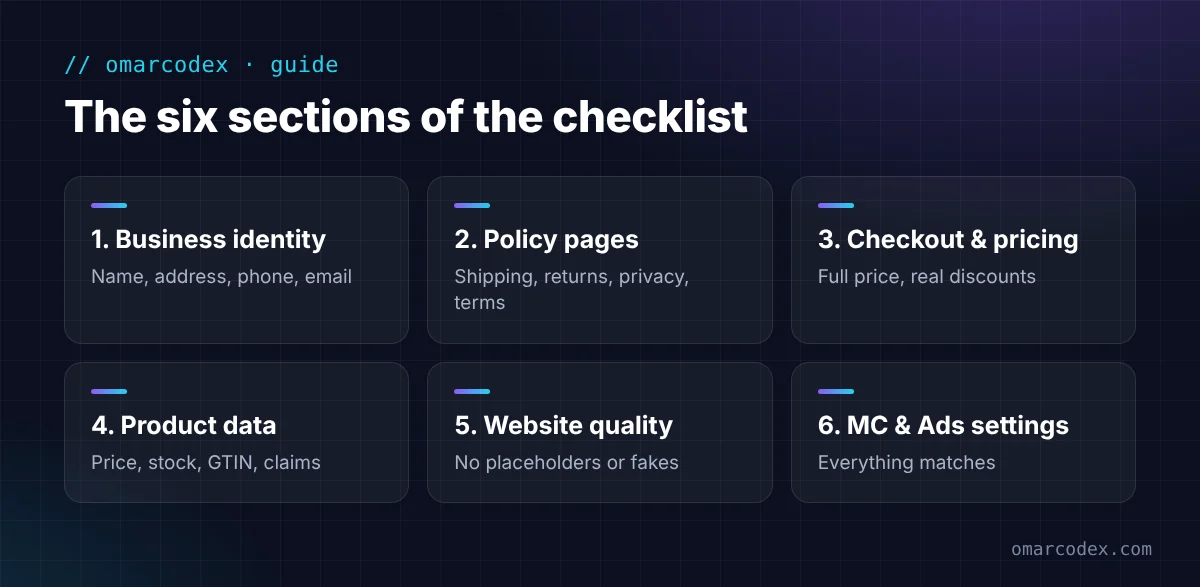
Check every part of your store before you apply or request a review: matching business details, complete policies, honest checkout and pricing, accurate product data, a clean website, and Merchant Center settings that match your site.
Google won't tell you which detail triggered a misrepresentation flag. So the only safe way forward is to check everything. That's what this Google misrepresentation checklist is for.
We built it from the 144-point audit we run on client stores, and from Google's own Misrepresentation policy. Use it before you apply to Merchant Center, or before you request a review after a suspension.
Go through it in order. Tick each item only when you've checked it on the live site, on both a phone and a computer.
Why Use a Google Misrepresentation Checklist?
Misrepresentation is about trust across your whole store. Google says it can look at many signals. That includes your listings, your website, and other sources on the web. One wrong detail can be enough.
And guessing is risky. Google's review rules say failed reviews can start a cooldown that may get longer each time. A full check up front saves you from wasting attempts.
1. Business Identity and Contact Details
- Business name is the same on your site, Merchant Center, Google Ads, payments profile, and social pages.
- Street address is real and can get mail and returns. Not a city hall or a shared agent address used by thousands of firms.
- Address matches Google Maps and your Google Business Profile, if you have one.
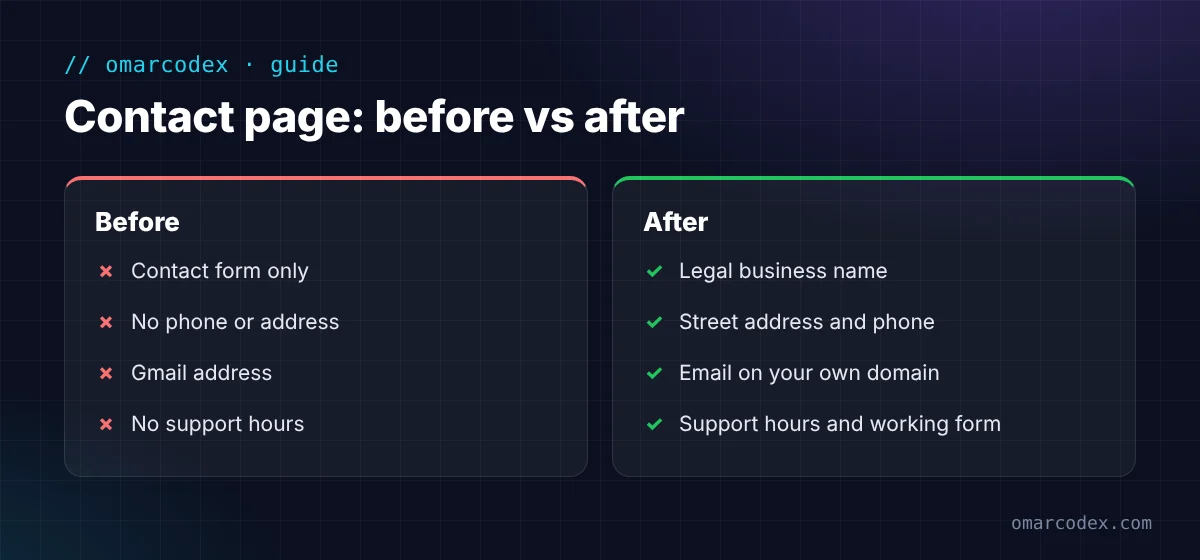
- Phone number shows on the site and someone answers it during business hours. Call it yourself to test.
- Email uses your own domain, like support@yourstore.com, not Gmail. Send a test email to it.
- Contact page shows name, address, phone, email, support hours, and a working form.
- Footer shows email, phone, address, support hours, and policy links on every page.
- About page says who runs the business and what you sell. It links to your Contact page.
- Social links go to your real, active pages with the same details.
- No details from another store, an old theme demo, or a past business anywhere on the site.
2. Policy Pages
- Shipping policy lists processing days, delivery days, carriers, costs, and where orders ship from.
- Return and refund policy lists the return window, rules, and steps. It also gives the return address, who pays return shipping, and when refunds arrive.
- Return windows for international orders start on delivery, not purchase. Google's policy names this as an example.
- Restocking fees or other charges show before checkout, if you have any.
- Privacy policy fits your business and your country.
- Terms of service fit your business and name your company.
- All policies have links in the footer and at checkout.
- Every policy page loads. No blank pages, errors, or links to "#".
- Policies agree with each other. Use the same return window and delivery times everywhere, including your FAQ.
- Policies are your own. No copied text with another company's name.
3. Checkout and Pricing
- Test order works from cart to payment.
- Full price shows before payment, including tax, shipping, and any fees.
- Payment methods are common and trusted, with logos shown.
- Checkout is secure (HTTPS on every page).
- Guest checkout is available if your platform supports it.
- Discounts are real. The "compare at" price is a price you really charged before.
- No permanent sale banners or countdown timers that reset.
- Delivery times in checkout match your shipping policy.
- No hidden repeat charges or subscriptions without a clear yes from the buyer.
4. Product Pages and Product Data
- Price and stock on each product page match your Merchant Center data.
- Structured data price matches the visible price. Test a few pages in Google's Rich Results Test.
- Titles and descriptions are true and written for your store. No demo or supplier filler text.
- Images are clear and real. No watermarks or promo text on the main image.
- GTIN, brand, and MPN are correct where they exist.
- No claims you can't prove, like "Authorized dealer," "100% original," "cures," or "#1 in the USA."
- No products you can't deliver, and no items marked in stock that aren't.
- No branded goods you can't prove are real, and no designs that copy a brand.
- Product pages look the same across the store.
5. Website Quality and Trust
- No placeholder text or images, like lorem ipsum or "Your content here."
- No empty collections or categories.
- No broken links. Check every menu and footer link.
- No fake reviews or fake star ratings. Show only real reviews.
- No fake "recent purchase" pop-ups.
- Site loads fast and works well on mobile.
- No malware. Check the Security Issues report in Google Search Console.
- robots.txt doesn't block Google from your product pages.
- One language across the site and your product data.
- Spelling and grammar are clean on key pages.
6. Merchant Center and Google Ads Settings
- Business info in Merchant Center matches your website exactly.
- Website is verified and claimed.
- Shipping settings match your shipping policy.
- Return policy settings match your return page.
- Target country matches your currency, shipping, and website.
- Business verification is complete, if Google asked for it.
- Google Ads account details match too, including the payments profile.
- No other stores share your phone, address, or products, unless they really belong to the same business.
Want us to run this for you? Get a free quote for your GMC reinstatement and we'll audit your store against our full 144-point list.
How to Check Your Store: Free Misrepresentation Checker Tools
There's no official Google misrepresentation checker. But these free tools cover a lot of the list:
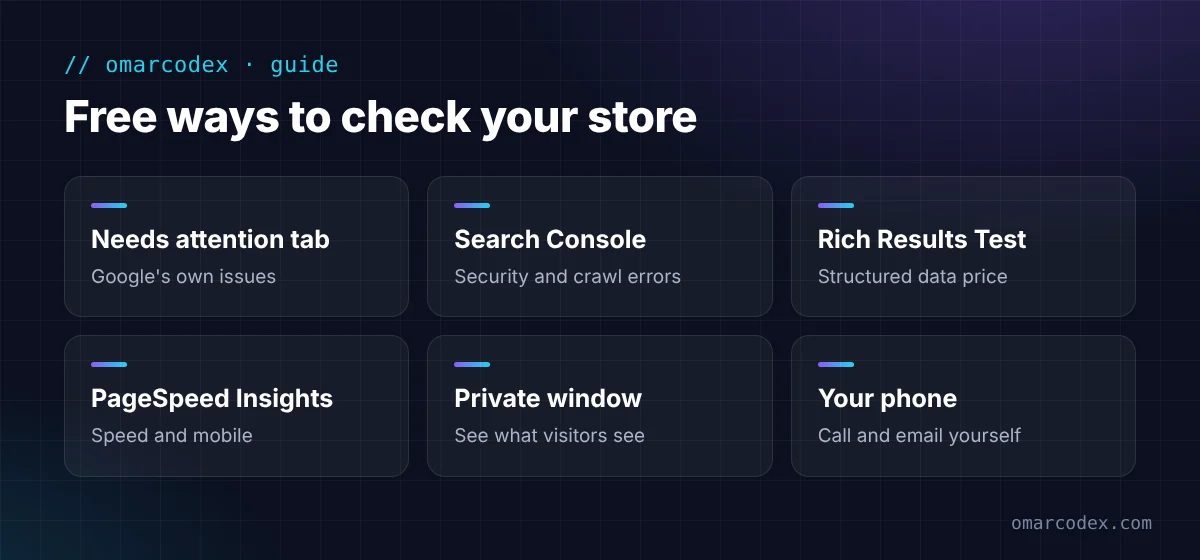
- Merchant Center Needs attention tab: shows Google's own issues for your products and account.
- Google Search Console: security issues, crawl errors, and page indexing problems.
- Rich Results Test: checks the price and stock in your product structured data.
- PageSpeed Insights: checks speed and mobile performance.
- A private browser window: see your store as a new visitor. Check that redirects and pop-ups behave.
- Your phone: call your own number and email your own support address.
Third-party "misrepresentation checker" tools can help spot missing pages. But they can't see inside your Merchant Center account. They also can't tell you what Google's reviewers think. Use them as a starting point, not a final answer.
Common Checklist Mistakes
- Checking only the homepage. Problems often hide on policy pages and product pages.
- Checking only on a computer. Mobile menus can hide missing links.
- Ticking items you assume are fine. Test the phone, the email, and the checkout for real.
- Forgetting Merchant Center settings. The site can be perfect while your shipping settings say something else.
- Fixing the list once and never again. Recheck after every theme change, app install, or policy update.
FAQ
What is the Google misrepresentation policy?
It's a Merchant Center policy that bans listings or stores that mislead shoppers. That includes hiding business details, unclear pricing, unavailable offers, and claims that aren't true. Read the full Google misrepresentation policy on Google's help center.
Is there an official Google Merchant Center misrepresentation checker?
No. Google doesn't offer a misrepresentation checker tool. The Needs attention tab in Merchant Center shows your issues, but not the exact trigger. A manual checklist is the most reliable way to check.
How long does this checklist take?
For a small store, plan on two to four hours if you test everything properly. Larger catalogs take longer because you need to check more product pages.
Should I use this checklist before applying to Merchant Center?
Yes. It's much easier to pass the first review than to fix a suspension later. Run the checklist before you connect your store.
What if my store passes every check and is still suspended?
Check that your Merchant Center and Google Ads details match your site exactly, and complete any verification request. If it's still stuck, an expert audit can spot what you're too close to see.
Use the Checklist, Then Ask Once
A Google misrepresentation checklist turns a vague problem into a clear to-do list. Work through every section, fix what you find, and only then request a review.
If you want a second pair of eyes, we can help. Get a free quote for your GMC reinstatement. For the full fix process, read our Google Merchant Center misrepresentation guide, or see our Google Merchant Center service.
Written by Omar Faruk
Full-Stack Developer — WordPress, Laravel & Shopify
I'm a full-stack web developer who has shipped news portals, company sites, multi-user web apps and Shopify stores for clients around the world. I care about clean code, fast pages and websites that actually bring in sales.
Need help with this on your site?
I can set it up for you — quick turnaround, fixed price.


